 1Password Exclude
Exclude a site
Click the toolbar icon or right-click the page. 1Password stops filling that hostname until you allow it again.
Chrome, Firefox, Edge, Opera
1Password fills every field it can, including OTP codes, PINs, and address boxes you never wanted saved. This extension adds the exclude list it does not offer: a whole site, or one field at a time.
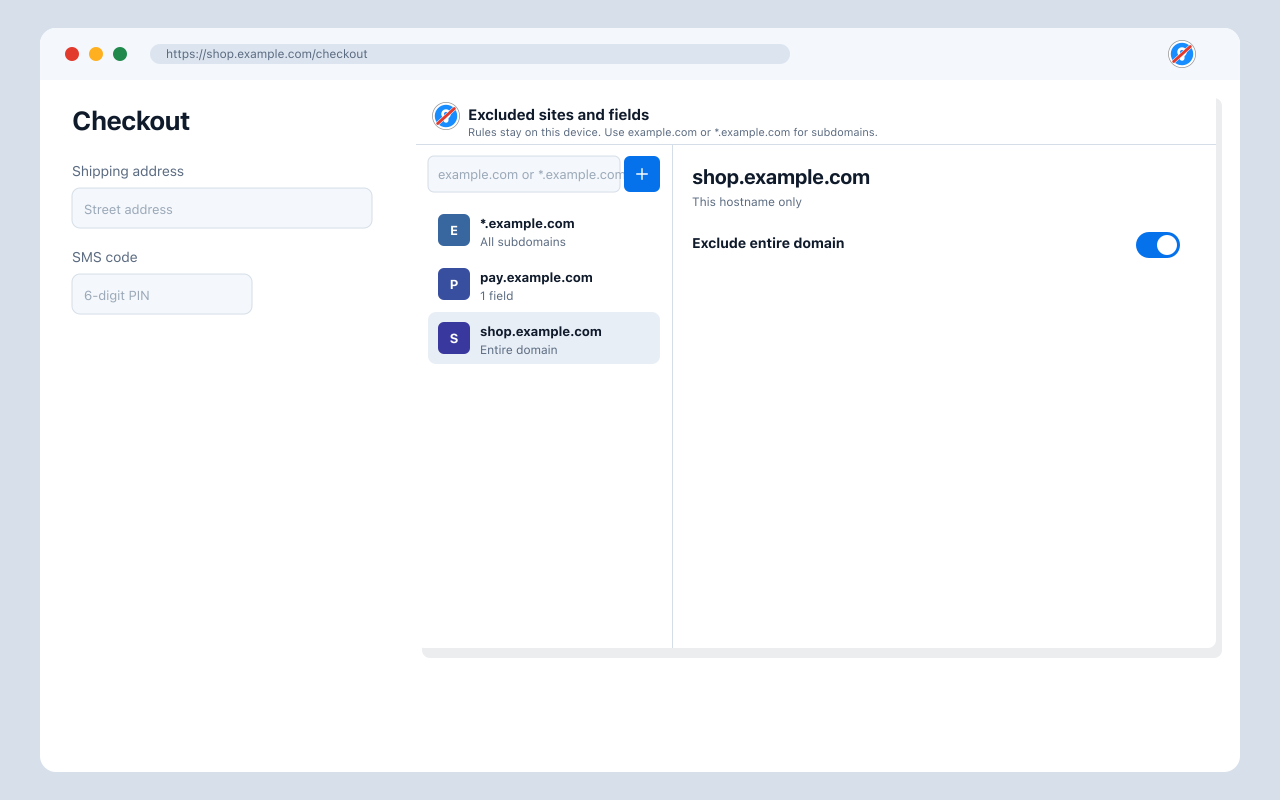
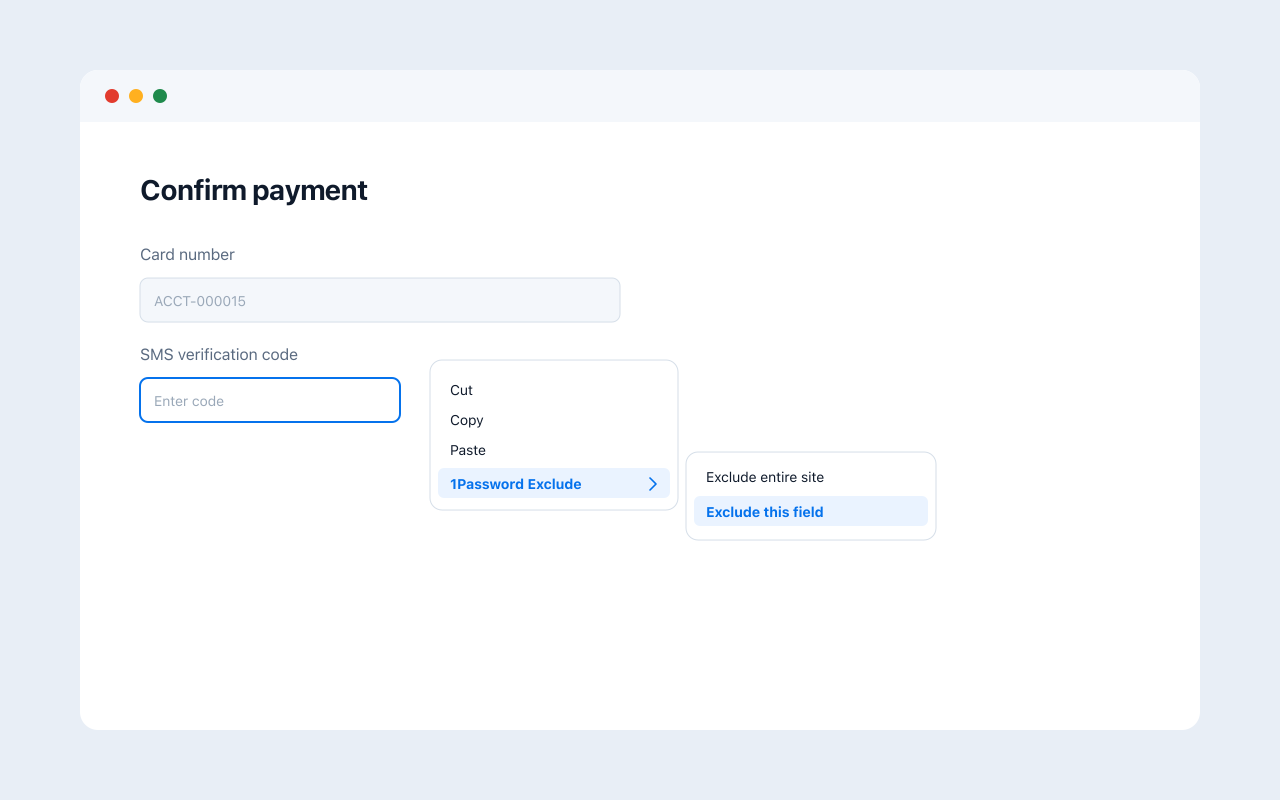
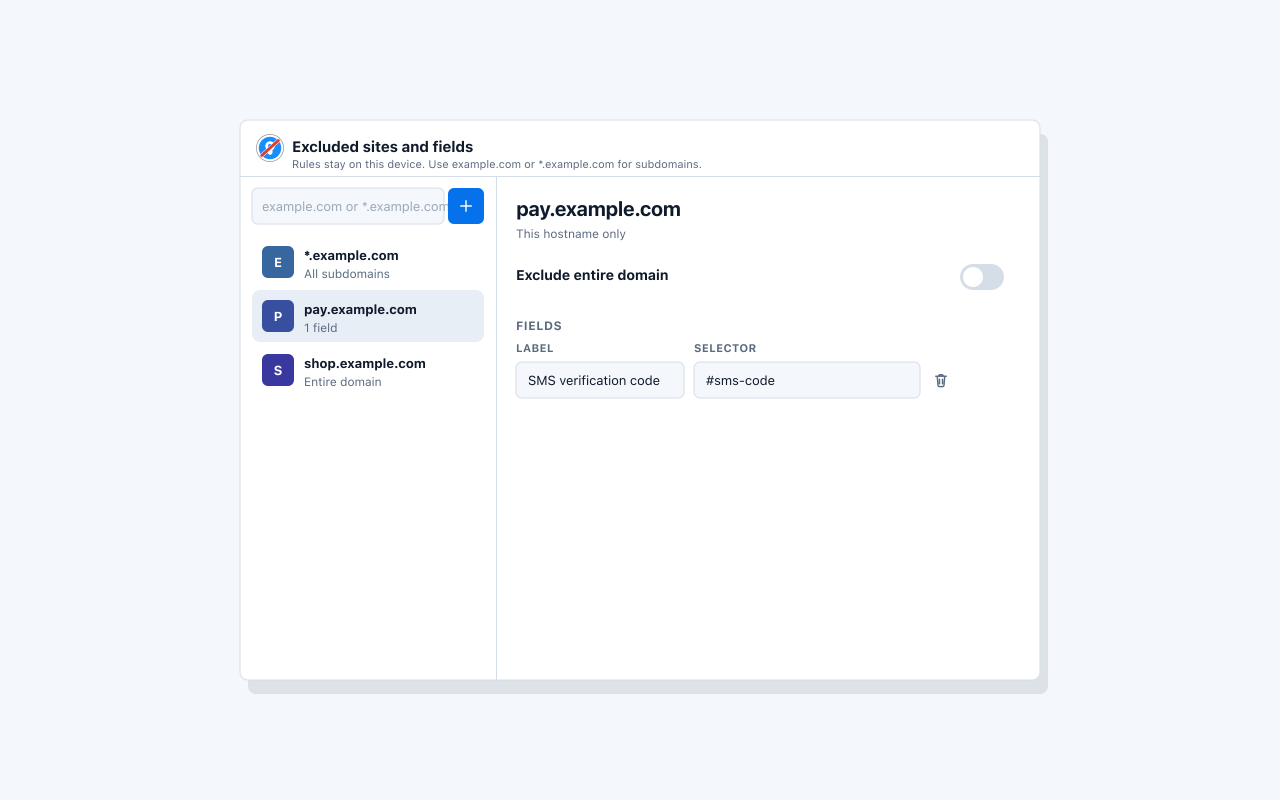
1Password has no built-in way to skip a site or a single field. Use the toolbar icon or the page menu. Exclude the page you are on, or only the input that keeps getting the wrong suggestion.
Click the toolbar icon or right-click the page. 1Password stops filling that hostname until you allow it again.
Right-click an OTP, PIN, or address box. Only that field is skipped. The rest of the form can still use 1Password.
app.example.com does not include www.example.com. Use *.example.com to ignore every subdomain, not example.com itself.
Rules live in local extension storage. Nothing is sent to a server. This site has no analytics either.
Under the hood the extension uses 1Password's official ignore mark (data-1p-ignore). On a whole site it goes on the page body, which is enough for 1Password to skip the page. On a single field it goes on that field. That is the supported way to opt out, so the inline widget and save-password prompts both stop. Fields the page adds later are covered too. Nothing is hidden with CSS.